Base64 is not encryption — stop treating it like a secret
published
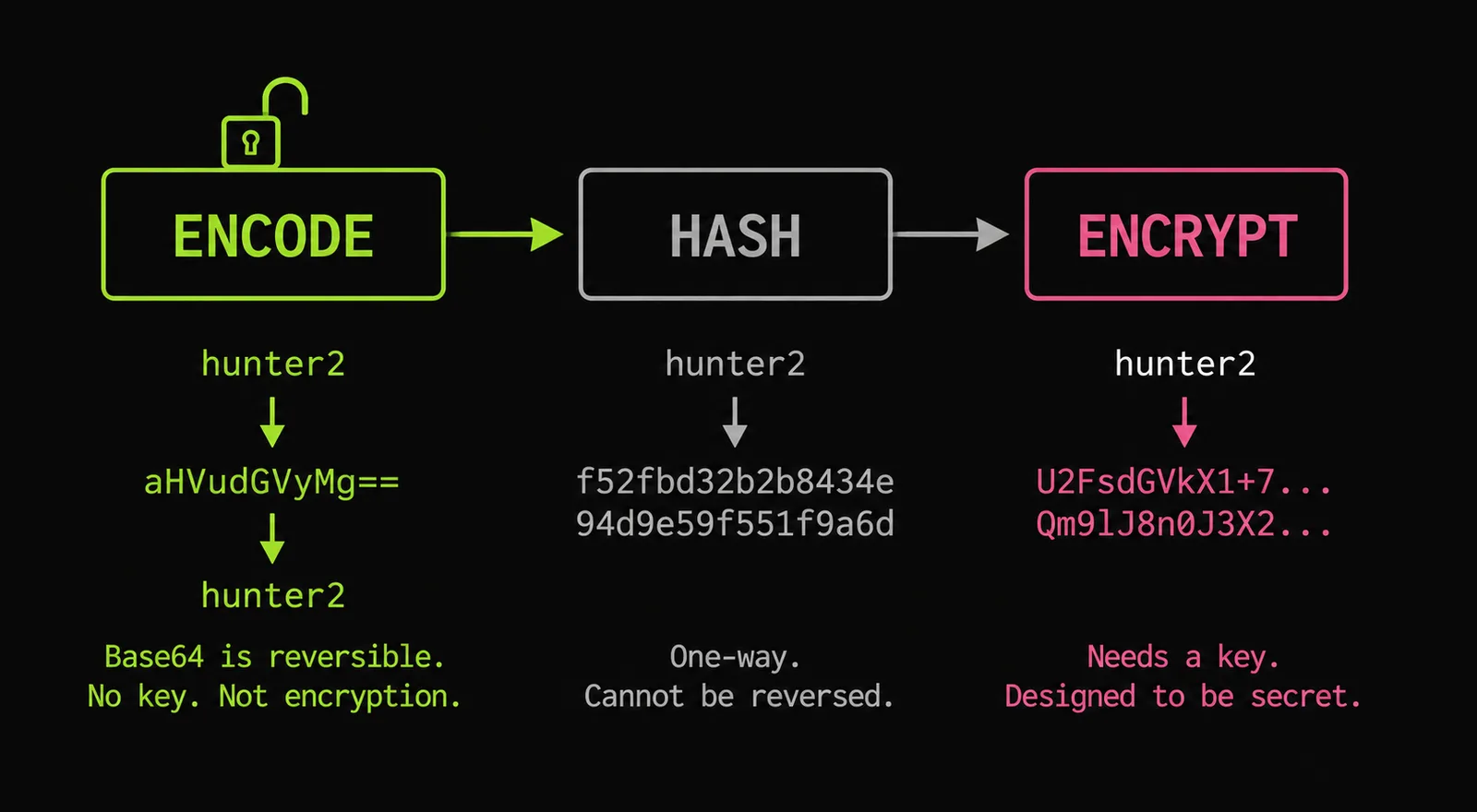
TL;DR
Base64 turns arbitrary bytes into 64 safe ASCII characters so binary survives a text-only channel. It has no key, so decoding is just the reverse mapping — atob() in a browser, one shell pipe. A base64 string is exactly as secret as the bytes you fed in: not at all. If something only “protects” data by base64-encoding it, it protects nothing. The real protection in Basic Auth, JWTs, and Kubernetes Secrets comes from TLS, signatures, and access control respectively — not from the encoding.
The problem
The same pattern shows up in code review after code review: a token, a password, or a config value gets base64-encoded and treated as though it’s now hidden.
$ echo -n 'hunter2' | base64
aHVudGVyMg==

$ echo -n 'aHVudGVyMg==' | base64 -d
hunter2
No key. No salt. No effort. The encoded form is trivially reversible by design — that’s the whole point of an encoding. People conflate “I can’t read it at a glance” with “an attacker can’t read it,” and those are not remotely the same statement.
Three places this misunderstanding does real damage:
- HTTP Basic Auth. The
Authorization: Basicheader isbase64(username:password). That is not a security mechanism — it’s so the credentials survive as an HTTP header. The only thing keeping them off the wire in plaintext is TLS. Basic Auth over plain HTTP hands credentials to anyone on the path. (RFC 7617) - JWTs. A JWT’s header and payload are base64url-encoded JSON, fully readable by anyone holding the token. Only the signature is cryptographic, and it proves integrity, not confidentiality. Putting secrets in a JWT payload “because it’s encoded” leaks them to the client. (RFC 7519)
- Kubernetes Secrets. Secret values are base64 in the manifest and in etcd. The Kubernetes docs say it outright: a Secret is not encrypted by default, and anyone with API or etcd access can read it. The protection is RBAC and encryption-at-rest you configure — not the encoding. (k8s docs)
Why it happens
The confusion is that three different operations all turn readable input into unreadable-looking output:
| Operation | Reversible? | Needs a key? | Purpose | Example |
|---|---|---|---|---|
| Encoding (base64) | Yes, by anyone | No | Move bytes through a text channel safely | btoa(), base64 |
| Hashing (SHA-256) | No | No | Fixed-size fingerprint / integrity | password storage (with salt), checksums |
| Encryption (AES) | Yes, with the key | Yes | Confidentiality | TLS, disk encryption |
Only encryption provides confidentiality, and it’s the only one of the three that requires a key. Base64 sits at the opposite end: deliberately keyless and public. If your threat model includes anyone seeing the bytes, base64 does nothing for you.
What to do
Pick the tool that matches the goal:
- Need data to survive a text channel (data URLs, JSON fields, headers)? Base64 — that’s its job.
- Need a value to be unreadable to whoever holds it? Encrypt it, and manage the key separately. Encoding the ciphertext in base64 afterward is fine; encoding instead of encrypting is the bug.
- Need to verify integrity or store a password? Hash (passwords: a slow KDF like Argon2/bcrypt with a salt, never plain SHA).
Get the encoding details right so base64 doesn’t bite you in other ways:
// Browser btoa/atob operate on Latin-1, so they throw on multibyte UTF-8.
// Encode to bytes first, then base64. (RFC 4648 §4)
const b64 = btoa(String.fromCharCode(...new TextEncoder().encode('café 🚀')));
const text = new TextDecoder().decode(
  Uint8Array.from(atob(b64), (c) => c.charCodeAt(0)),
);
For anything that goes in a URL or filename, use base64url (RFC 4648 §5): - and _ replace + and /, and padding is dropped. JWTs use this variant — which is why a raw atob() sometimes chokes on a JWT segment.
If you just need to eyeball what’s inside an encoded blob, decode it locally: bytefork’s base64 encoder/decoder and JWT decoder both run entirely in the browser — paste a token, read the payload, nothing is sent anywhere. Which, fittingly, is the whole point: if a tool can show you the contents that easily, so can an attacker.
Caveats
- Base64 is not compression. It inflates data by ~33% (3 bytes → 4 characters). Encoding to “save space” goes the wrong direction.
- Encoding the output of encryption is normal and fine. Ciphertext is binary; base64-ing it to put in JSON is correct. The anti-pattern is base64 standing in for encryption.
- “Obfuscation” buys you nothing against a motivated reader. Reversing base64 (or hex, or ROT13) is a reflex for anyone in security. Don’t rely on it to hide credentials, API keys, or license checks.
- A signed-but-not-encrypted token is still readable. JWT, PASETO
publicmode, and similar prove who issued it and that it wasn’t tampered with — they do not hide the contents from the bearer.
References
- RFC 4648 — The Base16, Base32, and Base64 Data Encodings — base64 (§4) and base64url (§5)
- RFC 7617 — The ‘Basic’ HTTP Authentication Scheme — credentials are base64, security is from TLS
- RFC 7519 — JSON Web Token — header/payload are base64url, only the signature is cryptographic
- Kubernetes — Secrets — “not encrypted by default”
- MDN — Base64 and btoa/atob Unicode pitfalls